The first time you run Nici, the Auto-Pilot {The Auto-Pilot automatically downloads pictures. It works by randomly adding new pages when there are no other waiting pages. More } is switched on, so you
will start downloading {The download line contains pages waiting to be downloaded. Unlike a browser, Nici allows you to choose many links without waiting for each to finish downloading. More } pictures without learning how to use Nici.
More } is switched on, so you
will start downloading {The download line contains pages waiting to be downloaded. Unlike a browser, Nici allows you to choose many links without waiting for each to finish downloading. More } pictures without learning how to use Nici.
Click here to
 Turn Auto-Pilot on
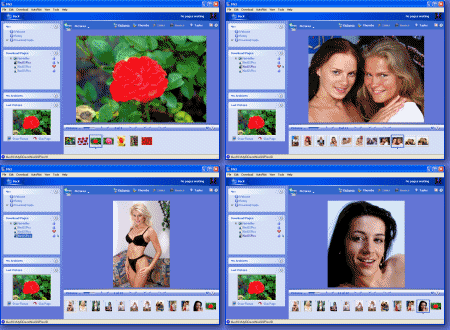
When you start Nici with the Auto-Pilot on, what you are seeing is the Nici-Quick {Nici-Quick is the default download strategy. It quickly and efficiently downloads, and classifies pages as either Picture pages or Directory pages. Nici also offers the Crawl download strategy which can be used if Nici-Quick does not correctly handle the page. More } download strategy in action:
- The Auto-Pilot is adding pages to the
 pane.
pane.
- The first page added is a
 directory page {The Nici-Quick download strategy classifies a web-page as a Directory page if it contains many links to picture pages. Directory pages are often updated each day with new links and can be used to add new picture pages to the download line. More }. Directory pages do not contain pictures, but links to
  picture pages {The Nici-Quick download strategy classifies a web-page as a Picture page if it contains a series of pictures. Nici-Quick then automatically downloads these pictures. More }.
- When the directory page finishes downloading, a couple of its links to picture pages {The Nici-Quick download strategy classifies a web-page as a Picture page if it contains a series of pictures. Nici-Quick then automatically downloads these pictures. More } are added to the download line {The download line contains pages waiting to be downloaded. Unlike a browser, Nici allows you to choose many links without waiting for each to finish downloading. More }.
- Click on the picture pages {The Nici-Quick download strategy classifies a web-page as a Picture page if it contains a series of pictures. Nici-Quick then automatically downloads these pictures. More } in the pane to see the pictures that are downloading.
With time, as you become more familiar with Nici:
- Instead of relying on the Auto-Pilot to add directory pages, you add directory pages that list the kind of picture pages you like using the History page {The history page lists directory pages that have previously been downloaded by the Nici-Quick strategy. More }.
- You choose which picture pages to add to the download line {The download line contains pages waiting to be downloaded. Unlike a browser, Nici allows you to choose many links without waiting for each to finish downloading. More }.

 Help
Help First Use
 Show the online Auto-Pilot tutorial